

Library · Personal Operating Systems
Build Your Own Life & Business Operating System
One environment. Your entire life and business. Intelligent automation.
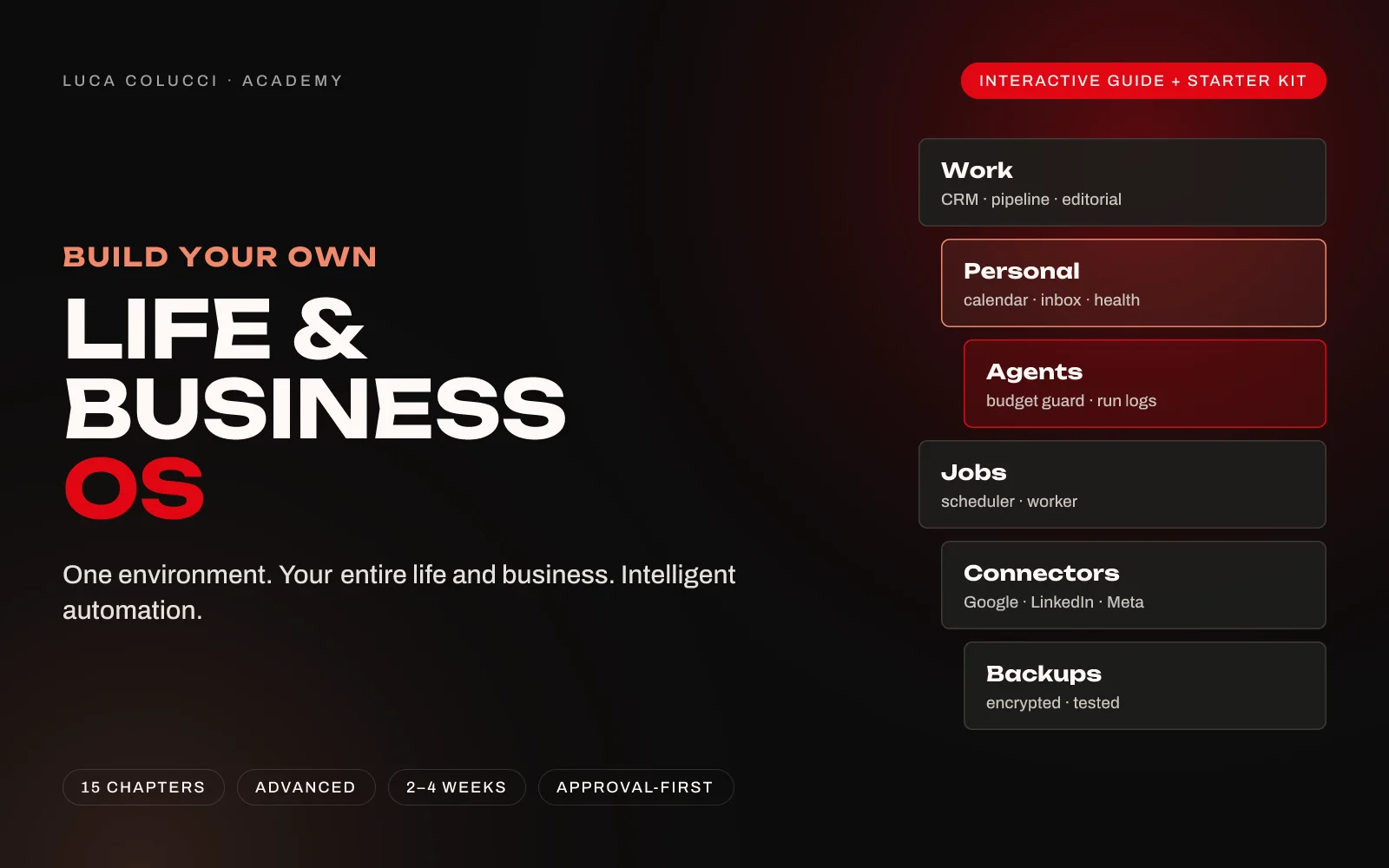
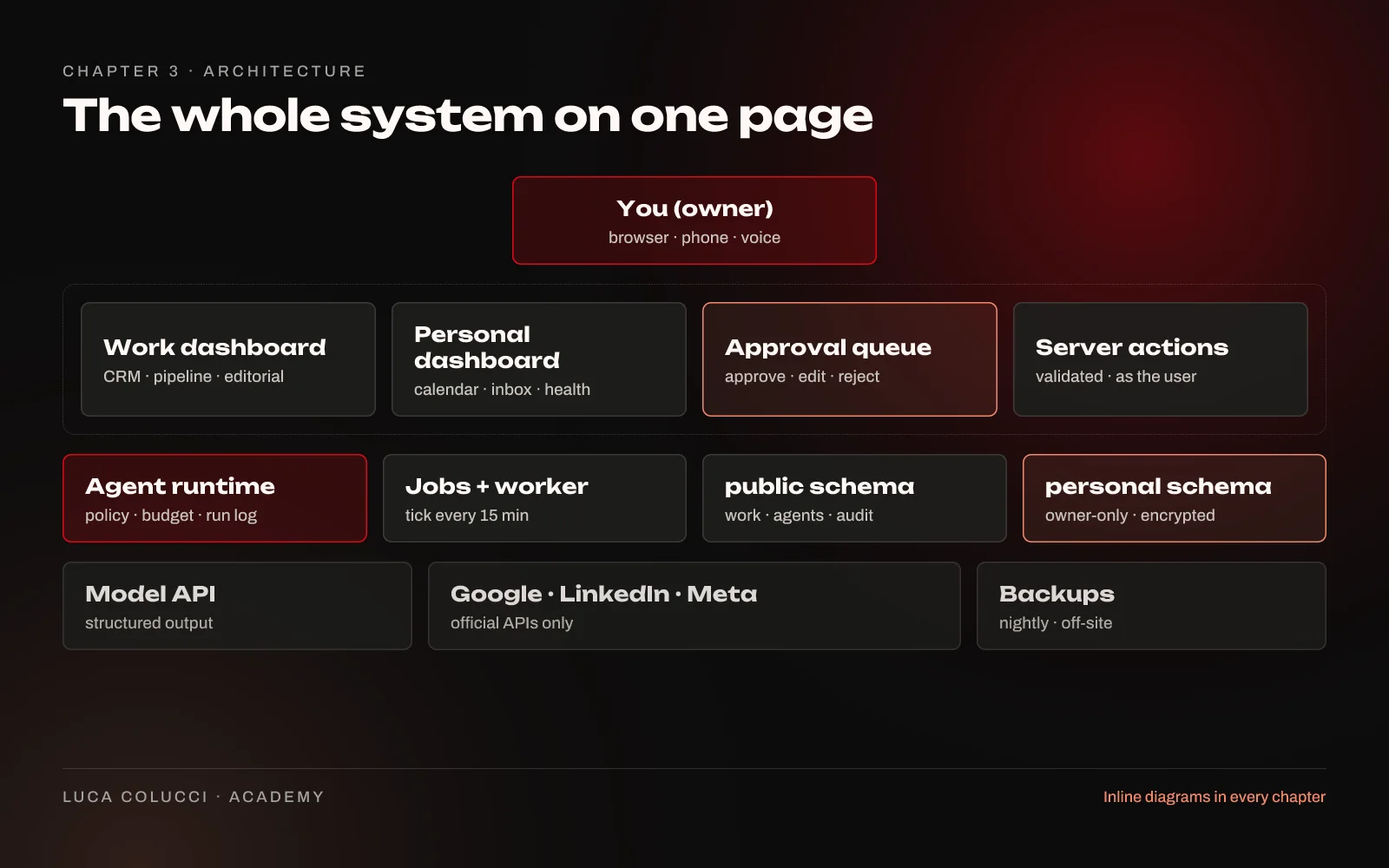
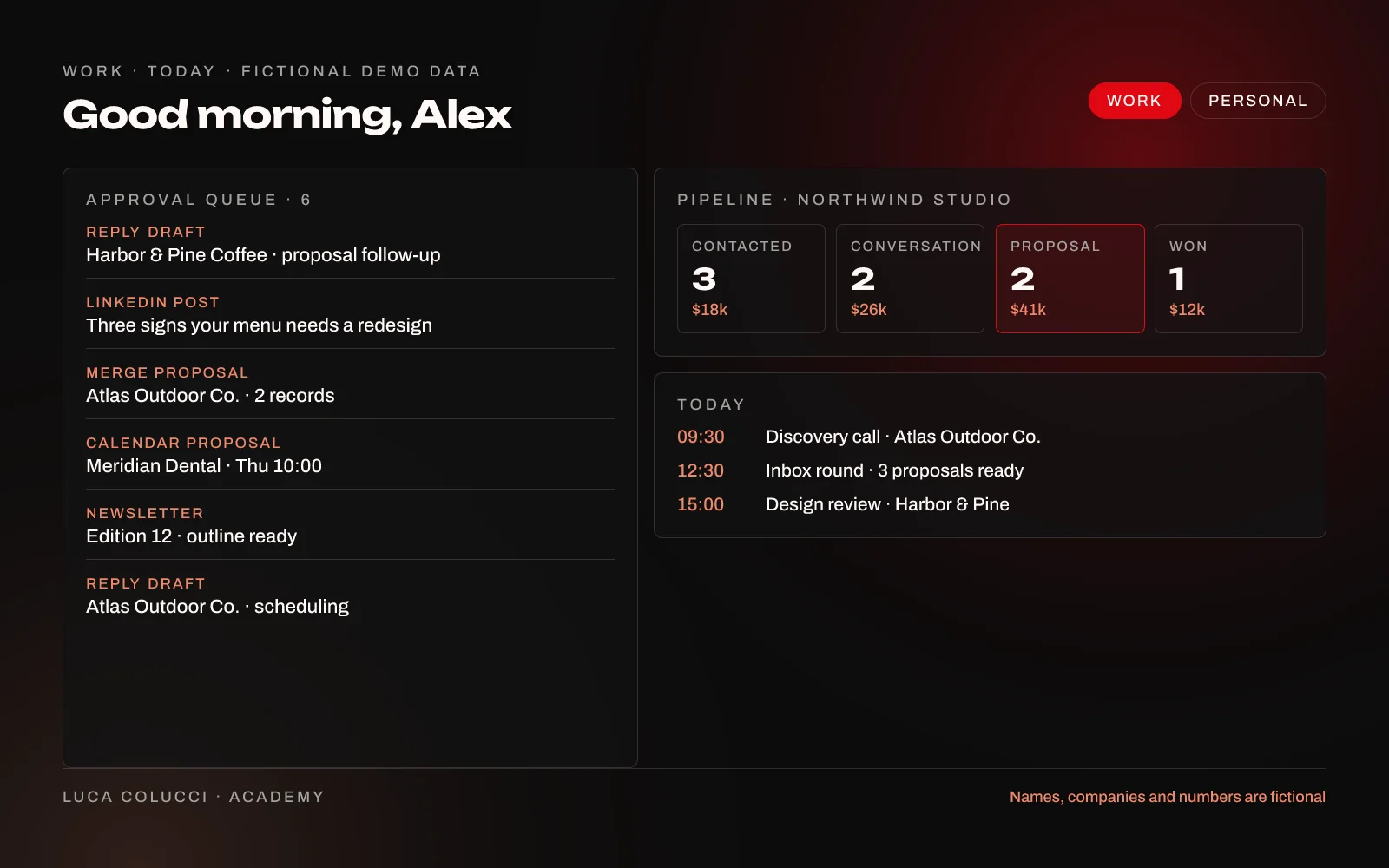
Most founders run their life and business across fifteen tools that never talk to each other. This guide shows you how to build one private environment for all of it: a Work dashboard with CRM, pipeline, editorial calendar and an approval queue, and a Personal dashboard with your calendar, inbox intelligence and private modules, on a database you own.
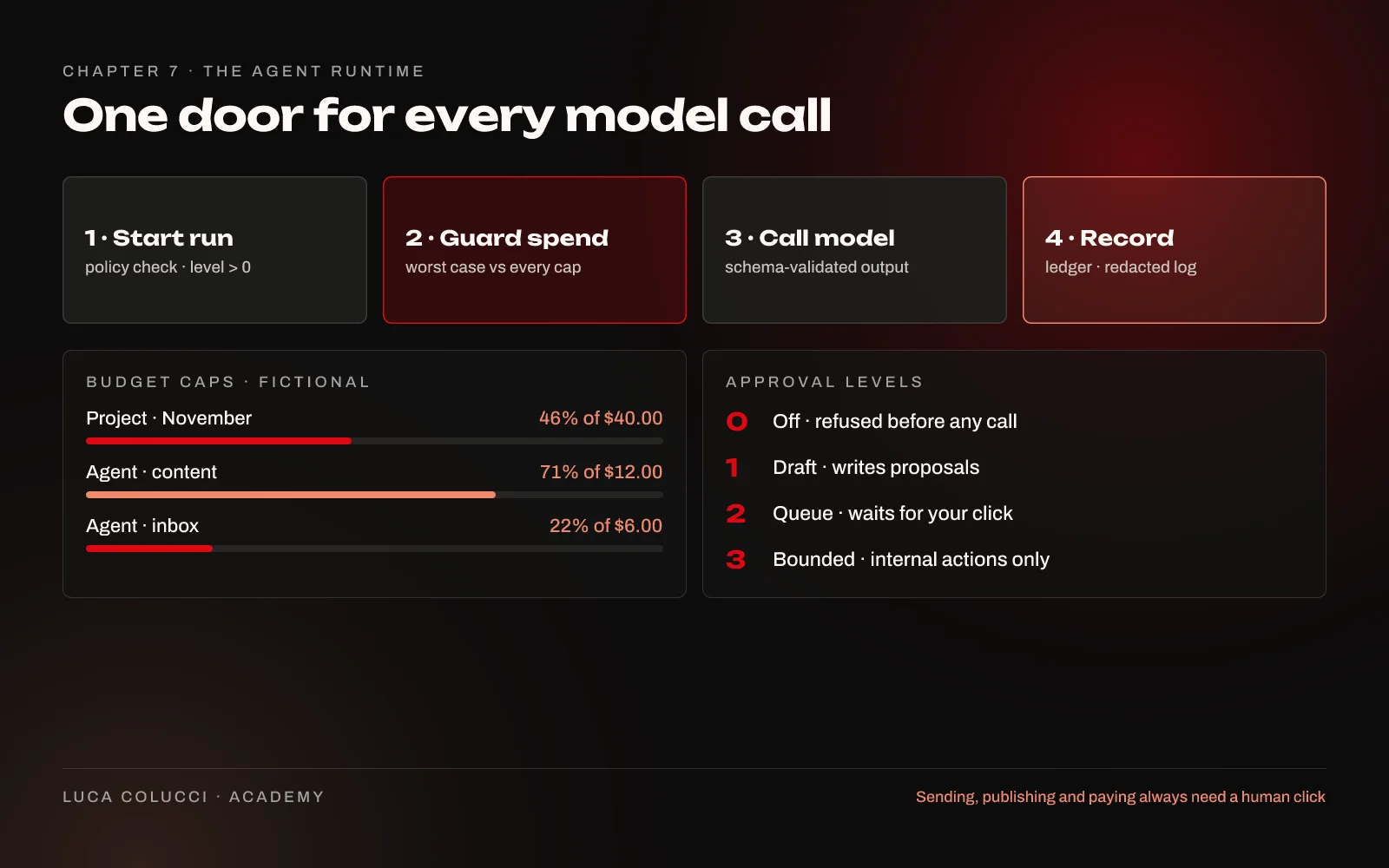
The automation is approval-first. AI agents read, summarise and draft while you sleep; you approve in the morning. Nothing is sent, published or paid without your click, and every model call goes through one runtime with a monthly budget cap and redacted run logs.
It is the method behind the operating system I use every day to run consulting work, content and my own routines, rewritten from first principles with fictional examples, so you can build your own in two to four weeks.
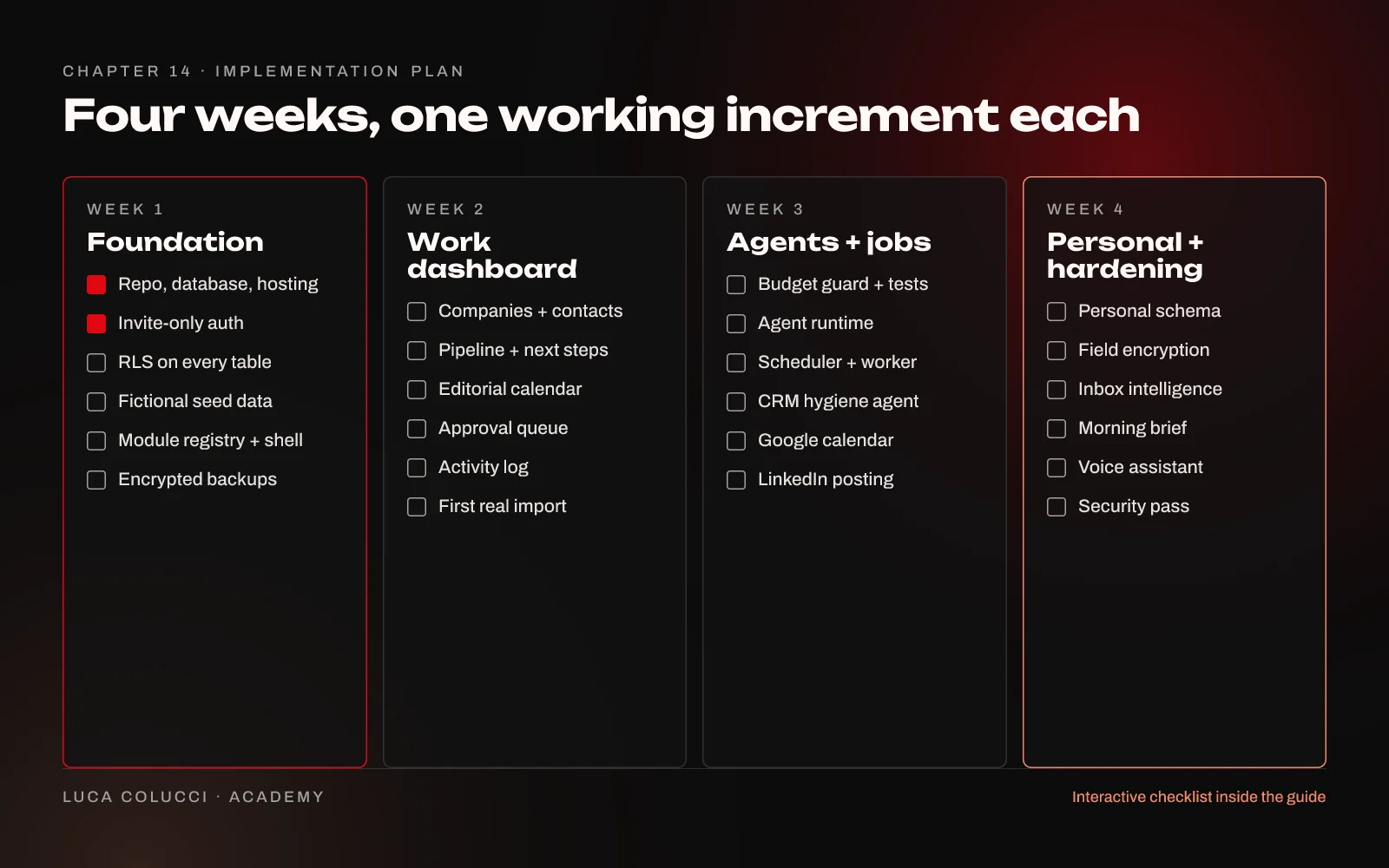
Inside: an interactive web guide in 15 chapters, with architecture diagrams, code snippets, prompt templates and a week-by-week plan with a checklist you can tick as you go. Plus a starter kit: a generic SQL schema with row level security, an agent-runtime skeleton in TypeScript with tests, a prompt library, the implementation checklist, a key-rotation runbook and a cost worksheet.
Inside
Questions
Do I need to be a developer?
You need to be comfortable reading code, running a database migration and deploying a web app. You do not need to be a senior engineer: an AI coding assistant can do much of the typing, and the guide shows you how to direct it safely. This is not a no-code template.
What will it cost to run each month?
It depends on your usage. As estimates checked in November 2026: about $0 to $15 a month on free tiers, $35 to $75 a month for the recommended setup with a paid database and managed backups, and more with heavy daily AI use. The guide and the cost worksheet show where each free tier ends, and every number should be checked on the vendor's own pricing page.
Is this your actual system?
It is the method and architecture behind the operating system I use every day. The code in the guide and the kit is written fresh for you, small and illustrative, and every example uses fictional people and companies. No private code, data or prompts are included.
Will the AI act on my behalf?
No. Agents read, summarise, draft and propose. Sending email, publishing posts, spending money, merging or deleting records always wait for your click, at every permission level. That rule is built into the code, not just the prompts.
Can I use a different stack?
Yes. The principles, data model, security layers and prompts carry over to any stack with Postgres-style access rules and scheduled functions. The code samples assume Next.js, TypeScript and Supabase, so other stacks need some translation.
Does it cover health or medical data?
It covers the architecture for private personal modules (health, nutrition, check-ins): where to store records, how to isolate and encrypt them, and how to keep them away from work screens. It does not give medical, legal or financial advice.
What exactly do I get, and for how long?
If you buy it, you keep access to this edition of the guide and the starter kit download. If you get it through a Premium or Pro membership, access lasts while your membership is active. The guide is a web page, so corrections to this edition appear on the same page.
- For
- Founders, consultants, solo operators and small agencies who are comfortable reading code and working with an AI coding assistant.
- Level
- Advanced
- Time to set up
- 2–4 weeks
- Tools
- Next.js + TypeScript, Supabase (Postgres, Auth, Storage), Netlify or Vercel, Anthropic Claude API, Google, LinkedIn and Meta developer apps, An AI coding assistant
- Access
- Instant online access to the interactive guide, and the starter kit (ZIP) in your account. Included in Premium and Pro memberships.
- Price
- $79.00